o5 OSUD Zlín-25.-26.04.2008

Po roce jsme se opět v bobřím složení zapojili do osudového procesu, ovšem ačkoliv jsme bobři čistě přírodní (rozuměj ekologičtí), stejně jsme skončili ranním předmětem ekologie.

Po roce jsme se opět v bobřím složení zapojili do osudového procesu, ovšem ačkoliv jsme bobři čistě přírodní (rozuměj ekologičtí), stejně jsme skončili ranním předmětem ekologie.

Trapné a špatné to bylo. Nejen proto, že jsme po ránu nebyli v podnapilým stavu v pochybném pohostinském zařízení IV. cenové kategorie, ale že jsme dočkali svítání naprosto střízliví a ještě pořád v zápalu boje, ovšem pouze někde na začátku. A nejpotupnější bylo, že SampL vzal svůj novej kočár značky Péžot, takže jsme ani nefrčeli zpátky s lahváčkama v ruce busem a vlakem. Mno a podstatná, Zlínská, část Bobrů, totiž PHOny se nám hodil marod, takže to šlo do kopru úplně. Fuj do bobrů a jejich nerdímu přístupu k řešení simple questů!

Ale abych tu jenom nebrblal, musím se taky podělit s nějakými zážitky, fotečkami či videem z apartního příjezdu pana děkana.

Lidí tam bylo fest, to né, že né, jen by mě zajímalo, jak moc to prořídlo nad ránem. Hlavně u čistících otázek typu ekologie :-(.
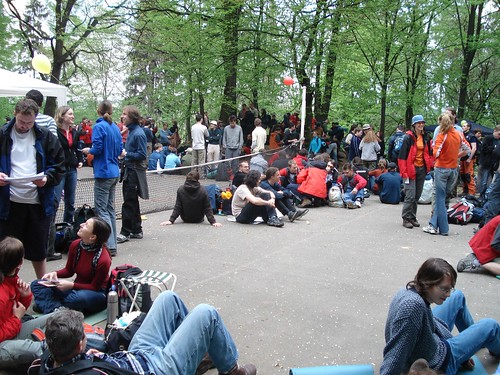

DSC00060

A přitom začátek vypadal tak pohodově a slibně, až to jednoho dojímalo…
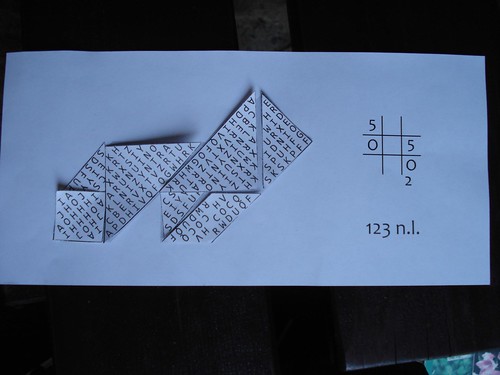

DSC00069

Na dětským – dopravním hřišti se blblo, bohužel bez dětí, takže ti úchylnější z nás jen zatlačili slzu v oku a museli pokračovat.
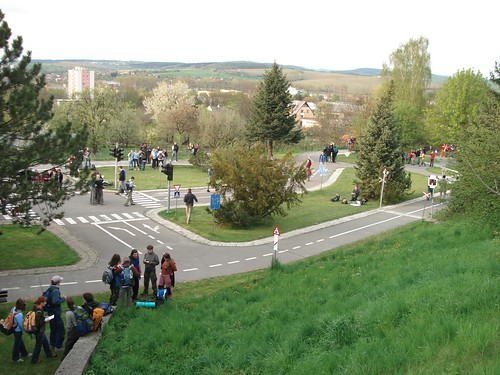

DSC00077

Potácení se nocí od ničeho k ničemu bylo méně zajímavé než loni, bohužel, že to říkám, ale jest to fakt :-(.
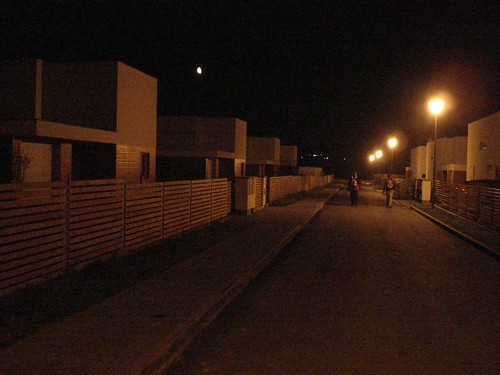

DSC00081

No a nad ránem to stálo už totálně za prd, všichni akorát leželi na podupaným poli poblíž prázdnějch lahví (a ano, bohužel střízliví).
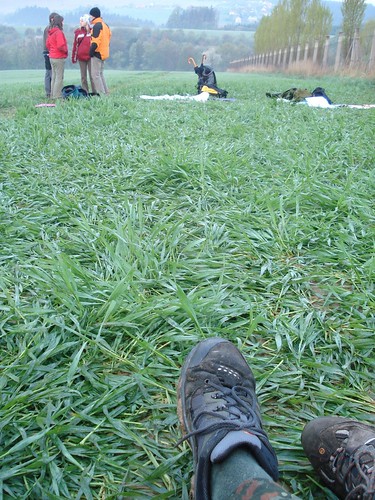

DSC00091

Určitě nějaký další info a reporty jsou na oficiálních stránkách, nebo strýček google poradí. Já si dovolil dát ještě pár fotek na flickr, jak je u mě zvykem, takže enjoy ;-).

Hacking Alfresco, III

In last article I wrote about defining custom actions in Alfresco, in this one i want to continue with simple custom dialog triggered by this action.

In last article I wrote about defining custom actions in Alfresco, in this one i want to continue with simple custom dialog triggered by this action.

So, like actions, dialogs are defined in web-client-config-custom.xml too. Definition is simple:

<dialogs>
<dialog name="createSession" page="/jsp/extension/create-session.jsp" managed-bean="CreateSessionDialog"
icon="/images/icons/add_content_large.gif" title="Create session"
description="Create a new user session" />
</dialogs>

Name is name of the dialog, referenced by action tag (<action>dialog:createSession</action>) in action definition. Page is a .jsp page with some content and managed-bean is an managed bean 🙂 defined in faces-config-beans.xml. So, lets add some bean to the session scope:

<managed-bean>
<managed-bean-name>CreateSessionDialog</managed-bean-name>
<managed-bean-class>cz.shmoula.CreateSessionDialog</managed-bean-class>
<managed-bean-scope>session</managed-bean-scope>
<managed-property>
<property-name>retezec</property-name>
<value>bomdigibom :-)</value>
</managed-property>
</managed-bean>

Now we need to create cz.shmoula.CreateSessionDialog class, which extends the BaseDialogBean:

public class CreateSessionDialog extends BaseDialogBean{
protected String aspect;
protected String retezec;

@Override
protected String finishImpl(FacesContext context, String outcome) throws Exception{
return outcome;
}

@Override
public boolean getFinishButtonDisabled(){
return false;
}

public void setRetezec(String retezec){
this.retezec = retezec;
}

public String getRetezec(){
return this.retezec;
}
}

This bean implements two buttons (see Dialog Framework wiki): OK button action and visibility (ie isDisabled) of OK button, in this case it is not disabled, so it is possible to click it and ends this dialog without any intervention to system ;-).

The Retezec variable is set by bean definition to some funny string, so after creating a .jsp page and packing together all this stuff do following: In case of click on space_browse_menu it compares name of that space and if it equals with "Archivace" string, it displays "Create session" action link. After click on this link a custom dialog is opened, as you can see on image below.

Free Image Hosting at www.ImageShack.us

displayed simple dialog


.jsp page is very simple too, it doesn't need no headers due to viewing inside of Alfresco UI:

<%@ taglib uri="http://java.sun.com/jsf/html" prefix="h" %>

<h:outputText value="#{CreateSessionDialog.retezec} " />

Hacking Alfresco, II

My second try was to create some custom action in some menu or bar and to view a simple dialog in Alfresco UI triggered by this action. There are topics covering this theme in Alfresco wiki too (see Custom Action UI and Dialog Framework) for detailed informations. But i wanted to create a simple and working example to see if it really works :-).

My second try was to create some custom action in some menu or bar and to view a simple dialog in Alfresco UI triggered by this action. There are topics covering this theme in Alfresco wiki too (see Custom Action UI and Dialog Framework) for detailed informations. But i wanted to create a simple and working example to see if it really works :-).

So, lets start with some action ;-). Actions are defined in web-client-config-custom.xml configuration file like this:

<actions>
<action id="create_session">
<label>Create session</label>
<image>/images/icons/add.gif</image>
<action>dialog:createSession</action>
<evaluator>cz.shmoula.CreateSessionEvaluator</evaluator>
</action>

<action-group id="space_browse_menu">
<action idref="create_session" />
</action-group>

</actions>

Items are self explaining, i hope :-). Action is to create dialog, which is defined in dialogs section with name createSession and evaluator is class which implements ActionEvaluator and indicates that this action is viewed or not. In my CreateSessionEvaluator i have just a simple condition.

Id attribute of action-group tag specifies a place in which is this action (a link) viewed, in my example it is space_browse_menu, which is the context menu of space object. Action groups are defined in web-client-config-actions.xml. Examples of some action groups are at following pictures:

Free Image Hosting at www.ImageShack.us

space_browse_menu action group


Free Image Hosting at www.ImageShack.us

1 – add_content_menu, 2 – browse_actions_menu

An action link is viewed at first image – "Create session". If evaluator is specified, action is viewed just in case of true evaluation. My simple evaluator is following:

public class CreateSessionEvaluator implements ActionEvaluator{

public boolean evaluate(Node node){
if(node.getName().equals("Archivace"))
return true;
else
return false;
}
}

It just compares space name (in case of space_browse_menu action group) with some string, nothing more :-). So, if they correspond, "Create session" link is displayed.